

TL;DR:
- A structured HVAC triage process quickly classifies service calls into four priority levels to improve dispatch efficiency. It emphasizes the importance of a consistent intake script and using safety and vulnerability indicators to ensure proper escalation, especially for emergency situations. Implementing clear SLAs, after-hours filtering, and proper handoff procedures reduces unnecessary truck rolls and enhances first-call resolution.
The HVAC triage process is a rule-based intake and prioritization workflow that classifies every incoming service call quickly, assigns an urgency level, and routes the right technician to the right job. Done consistently, it reduces unnecessary after-hours truck rolls, raises first-call resolution rates, and protects vulnerable occupants who cannot wait until morning. The core output of triage is a priority tier, not a diagnosis. That distinction matters because diagnosis is the technician’s job; triage is the dispatcher’s.
At a glance, a well-built triage system works across four priority levels:
- Level 1: Life-safety emergency (gas, CO, electrical hazard) — dispatch immediately with 911 guidance
- Level 2: Health emergency (no heat with infant present, extreme indoor temps) — same-day emergency dispatch
- Level 3: Major discomfort (system failure, healthy adults, moderate temps) — next available slot
- Level 4: Routine (maintenance, tune-up, quote request) — normal scheduling queue
Table of Contents
- What the HVAC triage process actually covers
- How to classify calls with a 4-level priority system
- The brief intake script every dispatcher should use
- How to handle Level 1 life-safety calls
- Routing work: when proximity is not the right answer
- After-hours triage: filtering calls so only real emergencies wake your tech
- What to document during triage and how to hand off to the technician
- Common triage mistakes and how to prevent them
- SLA targets and KPIs that keep triage accountable
- Key Takeaways
- Why consistent triage changes more than just your dispatch board
- Strongheatingandcooling is ready when your triage points to Colorado Springs
- Useful sources
- FAQ
What the HVAC triage process actually covers
Triage covers intake, rapid risk assessment, priority assignment, routing instructions, and handoff data capture. It does not include detailed diagnosis, parts ordering, or on-site troubleshooting. Those tasks belong to the technician once they arrive.
Who runs triage depends on your operation:
- Live dispatchers handling calls during business hours
- After-hours answering services following a scripted protocol
- AI-powered call agents configured with the same intake script and decision tree
The scope becomes clearest through contrast. A residential no-heat call at 2 AM with an infant in the home requires immediate escalation. A routine filter change request from a healthy adult in mild weather can wait three days. Both calls come through the same phone line. Triage is the process that separates them in under a minute.
What triage is not: it is not a conversation about repair costs, warranty status, or parts availability. Those conversations happen after the call is classified and a technician is assigned. Mixing diagnosis into triage slows the process and increases the risk of misclassification.
How to classify calls with a 4-level priority system
A four-level triage system gives every dispatcher, live agent, or AI handler a consistent rule set to apply in real time. The goal is to place every call in one of these buckets within the first 60 seconds.

| Level | Definition | Trigger Examples | Target Response |
|---|---|---|---|
| Level 1 — Life Safety | Immediate danger to people or property | Gas smell, CO alarm, electrical sparks, flooding near electrical equipment | Dispatch now + 911 guidance |
| Level 2 — Health Emergency | No heat or AC with vulnerable occupants or extreme indoor temps | No heat during outdoor cold weather, infant or elderly in home, indoor temperature dropping to unsafe levels | Same-day emergency dispatch |
| Level 3 — Major Discomfort | System failure without immediate health risk | No AC at 80°F, no heat at 50°F, healthy adults only | Next available slot, today or tomorrow |
| Level 4 — Routine | Non-urgent service, maintenance, or estimate | Annual tune-up, filter questions, quote requests | Normal scheduling queue |
A few practical notes on applying this model:
- Level 1 and Level 2 calls should never be held for morning. The threshold question is always whether a vulnerable person is present or a safety hazard exists.
- Level 3 calls are the most commonly misclassified. Dispatchers who skip the vulnerable-occupant question routinely bump Level 3 calls to Level 2 based on caller emotion rather than facts.
- Level 4 calls should be booked efficiently and moved off the queue quickly so dispatch bandwidth stays available for higher-priority work.
The brief intake script every dispatcher should use
Consistent intake is the single most reliable way to raise first-call resolution and reduce return trips. The script below covers the five to seven critical data points needed to classify any call accurately.
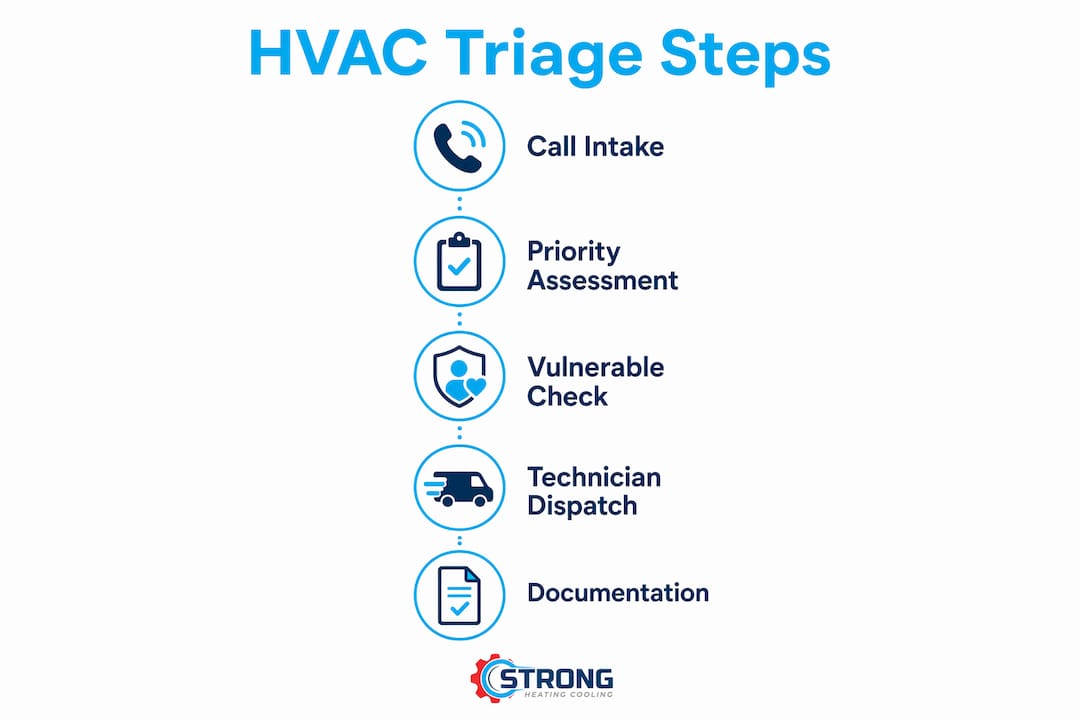
Starter script (first 30–60 seconds):
“Thanks for calling. I want to get you the right help as quickly as possible. Can I get your service address? And what is the system doing, or not doing, right now?”
From there, work through these fields in order:
- Service address and access notes (gate codes, pets, entry instructions)
- System type and approximate age (furnace, heat pump, central AC; age helps predict failure complexity)
- Current indoor temperature (capture the exact number, not “it feels cold”)
- Vulnerable occupants present? (infants, elderly, medically dependent — require a clear yes or no)
- Safety indicators (gas smell, CO alarm, sparks, burning odor — any yes triggers Level 1 review)
- How long the system has been down (duration helps estimate urgency and part failure complexity)
- Prior service history or known issues (flags repeat failures and informs technician prep)
A structured 3-question protocol covering situation, equipment age, and prior service history can classify most calls in under 30 seconds. The full seven-field version is worth the extra time for any call that touches Level 1 or Level 2 criteria.
Mini dispatch SOP:
- If any safety indicator is confirmed, escalate to Level 1 immediately and follow the life-safety protocol.
- If a vulnerable occupant is present and indoor temps are dropping, classify as Level 2 and wake the on-call tech.
- For Level 3 calls, book the next available slot and send a morning summary to dispatch.
- For Level 4, book in the normal queue and confirm with the caller.
- Record payment or approval constraints before closing the intake call.
Pro Tip: Make the vulnerable-occupant question binary. Ask “Is anyone in the home under 2 years old, over 65, or medically dependent on temperature control?” and require a yes or no. Vague answers like “maybe my grandmother visits sometimes” should default to yes.
How to handle Level 1 life-safety calls
Level 1 calls involving gas, carbon monoxide, or electrical hazards require a specific, calm response that protects the caller and limits liability. The goal is to keep the caller safe while collecting the information needed to coordinate emergency response.
Immediate do/don’t checklist:
- Do advise the caller to leave the building immediately if gas or CO is suspected.
- Do instruct them not to use any electrical switches, including lights, on the way out.
- Do ask whether any alarms are active and whether anyone in the home is unresponsive.
- Do call 911 or advise the caller to call 911 for gas leaks and CO events before dispatching your technician.
- Do not instruct the caller to investigate the equipment, reset the system, or open panels.
- Do not delay the 911 recommendation while trying to gather additional intake data.
Caller wording that keeps the conversation calm:
- “I want to make sure everyone is safe first. Can you step outside the building right now while we talk?”
- “Are any alarms going off, and is everyone in the home responsive?”
- “Please don’t touch any switches or the thermostat on your way out.”
- “Once you’re outside, I’m going to get a technician and emergency services headed your way.”
For more guidance on what to confirm with a technician during an HVAC emergency, having a reference checklist ready helps dispatchers stay organized under pressure.
After the caller is safe, alert the on-call technician, notify a supervisor, and contact emergency services if the situation warrants it. Record the call, the steps you gave the caller, and the time of each action. That documentation is your audit trail if questions arise later.
Routing work: when proximity is not the right answer
Geographic proximity is a reasonable default for low-priority, clustered work. For Level 1, Level 2, and high-revenue jobs, it often produces the wrong outcome. Routing purely by proximity can send a junior technician to a complex compressor failure or a likely replacement conversation, costing the company revenue and the customer a second visit.
Decision rules that hold up operationally:
- For Level 1 and Level 2 calls, dispatch the nearest qualified technician regardless of drive time. Life-safety and health emergencies override all other routing logic.
- For high-revenue or critical-asset jobs, prioritize technician skill and parts availability over proximity. A senior technician driving an extra 20 minutes often closes the job on the first visit.
- For Level 3 and Level 4 calls, geographic clustering makes sense. Group nearby jobs to reduce drive time and fuel costs.
Metrics worth tracking to evaluate routing quality: drive time per dispatch, SLA compliance by tier, first-call resolution rate, after-hours truck-roll rate, and average revenue per dispatch. If after-hours truck rolls are high and first-call resolution is low, routing logic is usually part of the problem.
Pro Tip: Reserve a portion of your daily dispatch capacity for Level 1 and high-value Level 3 jobs. Filling the board with low-priority clustered work early in the day leaves no room when a critical call comes in at noon.
After-hours triage: filtering calls so only real emergencies wake your tech
The most common after-hours mistake is over-alerting the on-call technician. A dispatcher who wakes a tech for a Level 3 call at midnight trains that tech to ignore alerts, which creates real risk when a Level 1 call comes in at 3 AM.
The filtering rule is straightforward: only Level 1 and Level 2 calls should trigger an on-call alert. Level 3 and Level 4 calls should be captured, booked for the next available slot, and sent to dispatch as a morning summary.
After-hours workflow for AI or answering services:
- The service answers immediately and runs the standard intake script.
- Emergency keyword detection scans for gas, CO, sparks, flooding, unresponsive occupants, and extreme indoor temperatures.
- If any Level 1 or Level 2 trigger is confirmed, the system sends an SMS and places a call to the on-call technician.
- If no emergency trigger is confirmed, the system books the appointment and sends a summary email to dispatch.
- The on-call technician receives a full intake summary, not just a name and address.
Anti-wake checklist before alerting the on-call tech:
- Has a vulnerable occupant been confirmed present?
- Is the indoor temperature below 55°F or above 100°F?
- Is a safety hazard (gas, CO, electrical) confirmed or suspected?
- Has the caller been unable to reach emergency services independently?
If none of these conditions are met, the call is Level 3 or lower and should not trigger a midnight alert. AI answering services can apply this filter automatically on every call, which removes the human judgment variable entirely during off-hours.
What to document during triage and how to hand off to the technician
A technician who arrives without the intake data collected during triage is starting from scratch. That wastes time, increases the chance of a return trip, and frustrates the customer. The job card should be complete before the technician leaves the shop.
Job card fields to populate during triage:
- Priority level assigned and the trigger that determined it
- Service address, access notes, and caller contact information
- System type, approximate age, and known service history
- Current indoor temperature at time of call
- Vulnerable occupants confirmed (yes/no and specifics)
- Safety hazards flagged (gas, CO, electrical, flooding)
- Payment or approval constraints noted
- Photos or attachments if the caller can provide them
Technician handoff checklist:
- Confirm ETA and communicate it to the caller.
- Verify the technician’s skill level matches the job complexity.
- Flag any parts the technician should bring based on system age and failure description.
- Note any safety hazards so the technician arrives prepared, not surprised.
- Confirm required approvals or spending limits before dispatch.
Documenting triage decisions also creates a defensible audit trail for safety-related calls. If a Level 1 call is later questioned, timestamped intake records show exactly what was captured, what steps were given, and when the technician was dispatched. Knowing what counts as an HVAC emergency helps dispatchers make those documentation decisions with confidence.
Common triage mistakes and how to prevent them
Most triage failures trace back to one of four predictable errors. Identifying them in advance makes them easier to prevent through script enforcement and process design.
The four most common pitfalls:
- Emotional subjectivity: classifying a call based on how upset the caller sounds rather than the actual intake data. A calm caller with an infant in a 48°F home is a Level 2. A distressed caller who is a healthy adult in a 65°F home is a Level 3. The facts drive the level, not the tone.
- Skipping the vulnerable-occupant question: this is the single most reliable escalation trigger, and it gets dropped most often when dispatchers are busy or rushed. Automating intake with a scripted checklist removes this failure mode.
- Not capturing system age or brand: without this, the technician cannot prepare for likely failure modes or bring the right parts, which drives return trips.
- Routing purely by proximity: sending the closest available technician regardless of skill or job complexity is efficient on paper and costly in practice.
Preventative actions:
- Enforce the intake script on every call, including routine ones. Inconsistent application is where errors accumulate.
- Require yes/no answers for the vulnerable-occupant and safety-indicator questions. Open-ended answers introduce ambiguity.
- Track after-hours truck-roll rate and first-call resolution weekly. Both metrics surface triage problems faster than call audits alone.
- Use recorded calls in training to show dispatchers the difference between a properly classified call and a missed escalation.
Pro Tip: When intake is automated or scripted consistently, dispatcher judgment errors and inconsistent escalations fall significantly. Even a simple checklist printed at the dispatch station reduces the rate of skipped fields during high-volume periods.
SLA targets and KPIs that keep triage accountable
The time-to-triage benchmark is 30–60 seconds to assign a priority tier. That clock starts when the call connects and ends when the dispatcher has a level assigned and a routing decision made. Anything longer usually means the intake script is too long, the dispatcher is improvising, or the system is not capturing data efficiently.
Asset criticality should drive response targets, not caller emotion or call volume on a given day.
| Asset Criticality | Definition | Target Response Window |
|---|---|---|
| Critical (no redundancy) | Single system, no backup, life-safety or health risk | ≤2 hours |
| Essential | Primary system, backup available, significant discomfort | 4–8 hours |
| Standard | Non-critical system, moderate discomfort | 24–72 hours |
| Non-critical | Routine maintenance, minor issue | 5–10 days |
KPIs to track weekly:
- Time-to-triage (target: 30–60 seconds per call)
- SLA compliance by tier (percentage of calls resolved within the target window)
- First-call resolution rate (percentage of jobs closed on the first visit)
- After-hours truck-roll rate (number of midnight dispatches that were not Level 1 or Level 2)
- Average revenue per dispatch (flags value-blind routing over time)
These five metrics together give a clear picture of whether triage is working operationally. A rising after-hours truck-roll rate usually means the Level 3/Level 4 filter is not being applied. A falling first-call resolution rate often points back to incomplete intake.
Key Takeaways
A repeatable HVAC triage process built on a brief intake script, a four-level priority model, and asset-criticality SLAs reduces after-hours truck rolls, raises first-call resolution, and protects vulnerable occupants.
| Point | Details |
|---|---|
| intake benchmark | Assign a priority tier quickly using a scripted 5–7 field intake on every call. |
| Four-level priority model | Classify every call as Level 1 through Level 4; only Level 1 and Level 2 trigger on-call alerts. |
| Asset-criticality SLAs | Critical assets with no redundancy carry a ≤2-hour response target; standard assets allow 24–72 hours. |
| After-hours filtering | Configure AI or answering services to alert the on-call tech only for confirmed Level 1 or Level 2 calls. |
| Strongheatingandcooling | Strongheatingandcooling’s dispatch-ready team in Colorado Springs applies emergency response protocols with decades of combined experience. |
Why consistent triage changes more than just your dispatch board
The operational payoff from consistent triage is real, but the cultural shift is what most teams underestimate. When dispatchers know the script and follow it every time, after-hours costs drop, technicians arrive prepared, and close rates on first visits improve. Those outcomes are measurable within a few weeks of implementation.
The harder part is changing the habit of emotional assessment. Dispatchers who have been doing this work for years develop instincts, and some of those instincts are accurate. The problem is that instincts are not auditable, not trainable, and not consistent across a team. A rule-based decision tree is. Running weekly QA on a sample of recorded calls, specifically looking for skipped fields and misclassified levels, gives managers a concrete way to reinforce the process without making it feel punitive.
Reward accuracy and documented decisions, not speed alone. A dispatcher who completes the full intake in 55 seconds and assigns the correct level is doing the job right. One who finishes in 20 seconds by skipping the vulnerable-occupant question is creating risk. That distinction should show up in how performance is measured and recognized.
Strongheatingandcooling is ready when your triage points to Colorado Springs
When a triage call lands at Level 1 or Level 2 and the address is in Colorado Springs or the surrounding communities, the next step is a team that can actually respond. Strongheatingandcooling provides emergency HVAC repair with dispatch-ready technicians who carry the right parts and arrive prepared, not guessing. With over 40 years of combined industry experience across heating and cooling installation, repair, and maintenance, the team is built for exactly the kind of calls this triage process is designed to surface.

Whether the intake flags a furnace failure in January or a cooling system down in peak summer, Strongheatingandcooling’s Colorado Springs team is available for HVAC installation and same-day repair with honest pricing and no unnecessary upsells. Contact Strongheatingandcooling to schedule service or get a same-day response for emergency calls.
Useful sources
Dispatchers and service managers looking to refine their intake scripts, SLA benchmarks, and after-hours AI configuration can consult these resources:
- HVAC Emergency Call Triage Guide: covers the four-level model, intake script structure, and after-hours filtering logic in practical detail.
- HVAC Emergency Call Handling Guide: explains how to integrate AI answering services and configure emergency keyword detection for on-call alerts.
- The 7 Questions Every HVAC Call Should Answer: a practitioner-focused breakdown of intake fields and why each one affects first-call resolution.
- HVAC Service Dispatch Response Time Standards: the source for asset-criticality SLA benchmarks, including the ≤2-hour critical-asset standard.
- HVAC Dispatcher Call Qualification Triage Framework: a downloadable framework for building a structured intake script and priority classification system.
- Emergency HVAC Repair in Colorado Springs: Strongheatingandcooling’s local emergency service page for dispatchers routing calls in the Colorado Springs area.
FAQ
How long does HVAC triage usually take?
Triage should take 30–60 seconds from the moment the call connects to the point where a priority level is assigned. A scripted intake covering five to seven fields keeps the process consistent and within that window.
What triggers a Level 1 life-safety classification?
Any confirmed or suspected gas smell, carbon monoxide alarm, electrical burning odor, or flooding near electrical equipment classifies a call as Level 1 and requires immediate dispatch plus 911 guidance.
Should every after-hours call wake the on-call technician?
No. Only Level 1 and Level 2 calls should trigger an on-call alert. Level 3 and Level 4 calls should be booked for the next available slot and sent to dispatch as a morning summary to avoid unnecessary wake-ups.
What is the most common triage mistake dispatchers make?
Skipping the vulnerable-occupant question is the most frequent and consequential error. It is the single most reliable escalation trigger and the question most likely to be dropped during high-volume or rushed intake.
How does Strongheatingandcooling handle emergency dispatch in Colorado Springs?
Strongheatingandcooling provides same-day emergency HVAC repair in Colorado Springs with technicians prepared for Level 1 and Level 2 calls. Contact the team directly for immediate service or to discuss dispatch protocols for your area.
Recommended
- Emergency HVAC: What to Do When Comfort Can’t Wait | Strong Heating And Cooling
- Questions to Ask an Emergency HVAC Technician | Strong Heating And Cooling
- Coordinating HVAC Repairs Between Tenants: 2026 Guide | Strong Heating And Cooling
- What Counts as an HVAC Emergency: 2026 Guide | Strong Heating And Cooling
Need expert HVAC help?
Colorado Springs' veteran-owned heating & cooling team — Mon–Sat, 8 AM–7 PM. Same-day service when available.