
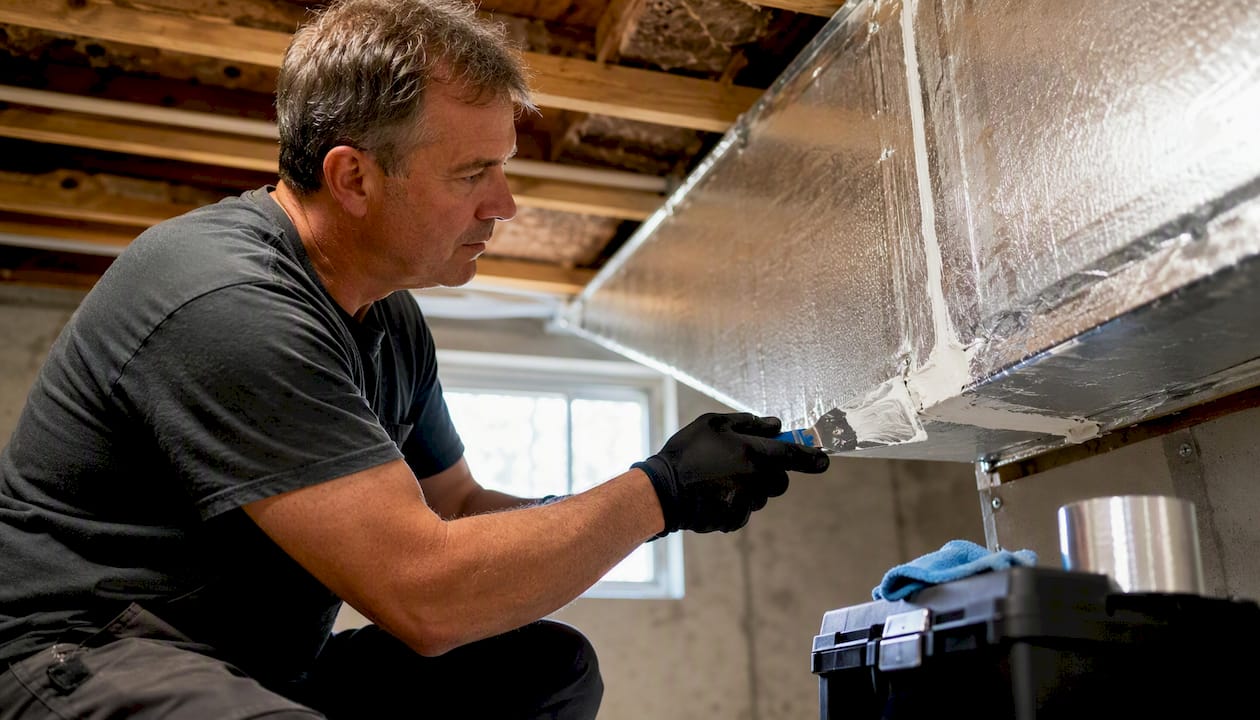
The fastest way to cut HVAC runtime without losing comfort is to fix airflow, seal thermal leaks, and use smarter controls. Heating and cooling account for nearly half of a typical household’s energy use, according to ENERGY STAR, which means even modest improvements to your system’s efficiency show up quickly on your utility bill. The good news is that the highest-impact steps cost very little and take an afternoon.
Start here: replace or inspect your air filter, open and clear all supply vents and return grilles, and switch your thermostat fan setting to AUTO. Then set a modest temperature setback of 3–5°F when the home is unoccupied. If your system is cycling off and on every few minutes, or running continuously during mild weather, those are warning signs that need a professional diagnostic, not just a filter swap.
- Replace or inspect the air filter (15 minutes, under $20)
- Clear furniture and obstructions from all vents and return grilles
- Set the fan to AUTO and program a 3–5°F setback schedule
- Schedule a professional tune-up if runtime patterns seem abnormal
Pro Tip: If your AC or furnace runs for more than 60 minutes straight on a mild day, that is not normal efficiency. It usually points to a duct leak, airflow restriction, or undersized equipment, and a professional diagnostic will pay for itself quickly.
Table of Contents
- Sealing ducts and the building envelope delivers the biggest runtime gains
- How filters, vents, and airflow directly affect how long your system runs
- Annual tune-ups, diagnostics, and when to repair or replace
- Smart thermostats and zoning controls that actually reduce runtime
- Why shorter runtime is not always better: short-cycling and correct sizing
- How humidity, ventilation, and zoning affect runtime in ways most homeowners miss
- A 90-day action plan with estimated costs and runtime impact
- Key Takeaways
- A field perspective on what actually moves the needle
- Strongheatingandcooling can diagnose and fix your runtime problems
- Useful sources and further reading
- FAQ
Sealing ducts and the building envelope delivers the biggest runtime gains
Duct leakage is one of the most underestimated causes of long HVAC runtimes. When conditioned air escapes into your attic, crawlspace, or garage before it reaches living areas, your system has to run longer to compensate. ENERGY STAR estimates that sealing and insulating ducts in unconditioned spaces can improve system efficiency by about 20%, making it one of the highest-return improvements you can make before considering new equipment.
The practical sequence matters. Start with the largest leaks in the most exposed locations: duct seams in the attic or crawlspace, connections at the air handler, and return-side leaks near the furnace. Use mastic sealant or UL 181-rated foil tape on accessible seams. Insulation wrap on ducts running through unconditioned spaces reduces heat gain and loss between the air handler and the register.
Once ducts are addressed, shift to the building envelope. Attic bypasses (gaps around plumbing, wiring, and recessed can lights) allow conditioned air to escape and hot or cold outside air to infiltrate. Caulk and weatherstrip around doors and windows. These are DIY-friendly tasks. Inaccessible ductwork, return-side leakage, or significant duct rework are better left to a licensed technician.
Priority checklist by impact-to-cost ratio:
- Attic duct seams and connections
- Attic air sealing (bypasses, can lights, top plates)
- Accessible supply and return duct seams in conditioned spaces
- Door and window weatherstripping
- Crawlspace or basement duct insulation
Pro Tip: Mastic sealant outlasts foil tape on duct seams because it stays flexible as ducts expand and contract with temperature changes. Use tape only on flat, clean surfaces where mastic is impractical.
How filters, vents, and airflow directly affect how long your system runs
A clogged filter is one of the simplest causes of extended HVAC runtimes, and it is also the easiest to fix. When airflow is restricted, the system struggles to move enough conditioned air through the home, so it runs longer to hit the setpoint. ENERGY STAR’s maintenance guidance recommends checking filters monthly during heavy use seasons and replacing them on a schedule matched to your filter type and household load.
General filter replacement cadence:
- Check visually every month during peak heating or cooling season
- Replace 1-inch fiberglass filters every 30 days
- Replace 1-inch pleated filters every 60–90 days
- Replace 4–5-inch media filters every 6–12 months
- Replace more frequently with pets, allergies, or high dust loads
Beyond the filter, keep all supply vents open and unobstructed. Closing vents in unused rooms does not save energy; it increases static pressure and forces the blower to work harder, which can shorten equipment life and extend runtimes. Return grilles need clear space around them to pull air freely.
Fan setting is a small detail with a real impact. AUTO mode runs the blower only when the system is actively heating or cooling, which reduces blower energy and avoids circulating unconditioned air. Continuous ON mode has a place in homes that need constant air filtration, but for most households it adds unnecessary runtime and energy use.
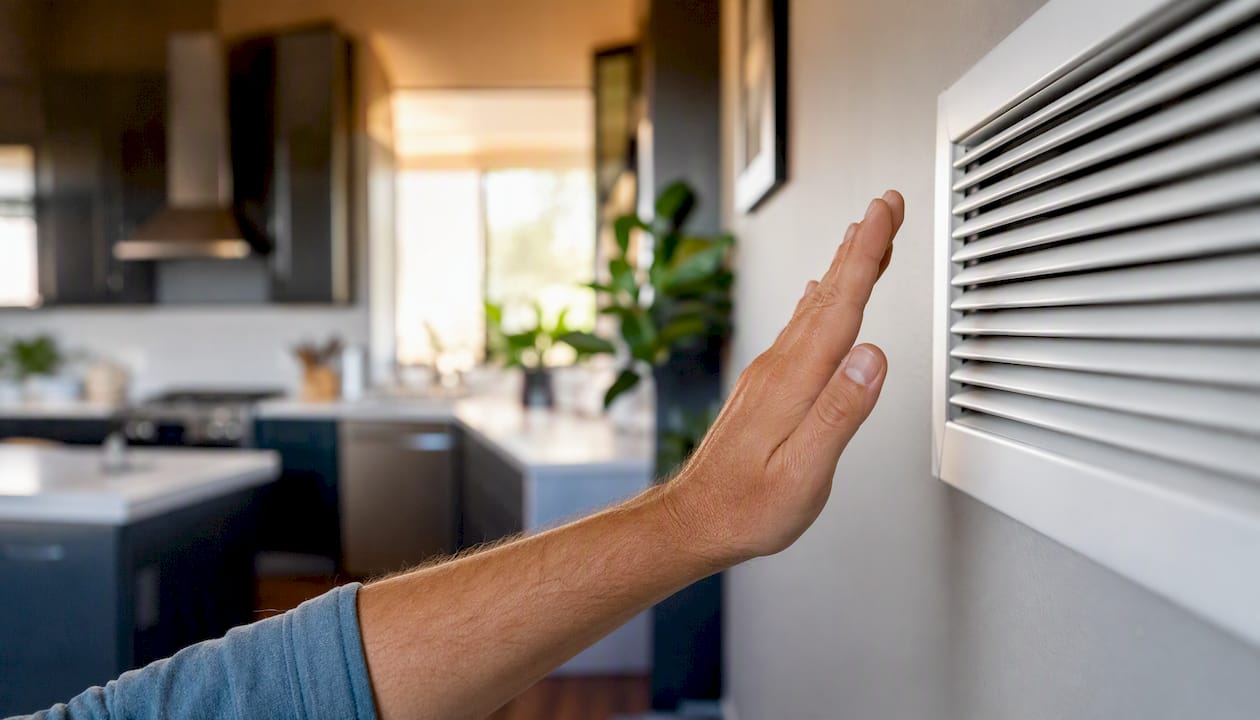
Quick diagnostics you can run yourself: hold your hand near a supply register to feel for weak airflow, listen for cycles that cut off within a few minutes, and check the indoor unit for ice on the refrigerant lines during cooling season. Any of these signals warrants a closer look.
Pro Tip: A preventive maintenance schedule tied to the calendar, not just a “when it looks dirty” approach, keeps filter changes from slipping and prevents the slow efficiency loss that builds up over a season.
Annual tune-ups, diagnostics, and when to repair or replace
A professional tune-up does more than clean the coils. A thorough visit should include refrigerant level verification, evaporator and condenser coil cleaning, airflow and static pressure measurement, blower motor and capacitor checks, thermostat calibration, a basic duct inspection, and a review of control sequencing. Each of these directly affects how long the system runs per cycle and how efficiently it conditions the air.
When a repair is needed, the $5,000 rule gives you a quick decision framework: multiply the system’s age in years by the estimated repair cost. If the result exceeds $5,000, replacement is usually the more cost-effective path. For example, a system in the typical lifespan range facing a moderately costly repair might fall into replacement territory, especially if efficiency has declined.
| Service or Repair | Typical Cost Range | Expected Benefit |
|---|---|---|
| Annual tune-up | — | Restores efficiency, catches problems early |
| Capacitor replacement | — | Fixes hard-starting; prevents compressor damage |
| Evaporator coil cleaning | — | Restores heat exchange, reduces runtime |
| Compressor replacement | — | Major repair; apply $5,000 rule before proceeding |
| Full system replacement | — | New efficiency baseline; 15–20 year service life |
Call a professional without delay if you notice refrigerant-related symptoms (ice on lines, warm air from a cooling system), persistent short-cycling, runtimes that seem far too long for the outdoor temperature, or visible duct damage. These are not filter problems. For more detail on the repair-versus-replace decision, the age and condition of the heat exchanger or compressor are usually the deciding factors.
Smart thermostats and zoning controls that actually reduce runtime
Smart thermostats reduce runtime by matching system operation to actual occupancy rather than running on a fixed schedule. ENERGY STAR reports that certified smart thermostats can save around $100 per year for homes with high heating and cooling bills or those unoccupied for significant parts of the day. Devices like the Google Nest and ecobee achieve this through adaptive learning, remote control, and occupancy detection.
Key settings and strategies that reduce runtime:
- Set temperature setbacks of 3–5°F during sleep and away periods; larger setbacks force long recovery runs that can negate the savings
- Use AUTO fan mode as the default; reserve continuous circulation for air quality needs only
- Enable geofencing or occupancy schedules so the system does not condition an empty home
- Use ecobee’s remote room sensors or Nest’s multi-room sensing to avoid conditioning based on a single, poorly placed thermostat
- Review runtime reports in the app monthly; ecobee thermostat data shows significant variation in runtime across similar homes, which means your data can reveal whether your home is performing as expected
Thermostat placement matters more than most homeowners realize. A thermostat near a drafty window, in direct sunlight, or above a heat-producing appliance will read inaccurately and trigger unnecessary cycles. The ideal location is an interior wall in a frequently occupied room, away from supply registers and exterior walls.
Zoning systems add dampers to ductwork and allow different areas of the home to be conditioned independently. For multi-story homes or buildings with distinct occupancy patterns, zoning can meaningfully reduce runtime in unoccupied zones. The trade-off is complexity: improperly balanced zoning can increase static pressure and cause the same airflow problems that extend runtime. Zoning works best when designed by a technician who performs a proper load calculation for each zone.
For smart thermostat trends and implementation tips, the most consistent runtime gains come from occupancy-based scheduling, not just temperature setbacks alone.
Why shorter runtime is not always better: short-cycling and correct sizing
The goal is not the shortest possible runtime. It is the right runtime for the conditions. Short-cycling, where the system runs for fewer than roughly 10 minutes before shutting off, is a sign of a problem, not efficiency. HVACDatabase’s diagnostic guidance identifies cycles under 10 minutes as short-cycling and consistent runtimes above 60 minutes in mild weather as a likely indicator of airflow restrictions or undersized equipment.
Short-cycling increases mechanical wear on the compressor and blower motor, reduces the system’s ability to dehumidify the air, and drives up energy use through repeated startup loads. A system that cycles 8–10 times per hour is doing far more damage than one that runs two 20-minute cycles.
The “20-degree rule” is a common source of confusion. It is a sizing guideline used to specify equipment capacity for design-day conditions, not a hard performance ceiling. Your system should be able to maintain a 20°F differential between indoor and outdoor temperatures under peak load, but this does not mean it cannot or should not maintain larger differentials in extreme heat or cold. Rely on diagnostics, not the rule of thumb.
Normal runtime expectations: during mild weather (outdoor temps within 15–20°F of your setpoint), a well-sized system typically runs cycles of 15–20 minutes. During a heat wave or deep cold snap, continuous operation is normal and often more efficient than short-cycling at full capacity.
If you are seeing persistent short-cycling or continuous runs in moderate weather, the right next step is a Manual J load calculation and a duct leakage test. These tools identify whether the problem is equipment sizing, duct performance, or airflow restriction, and they give a technician the data to fix the root cause rather than guess. For a detailed look at why HVAC short cycles, the causes range from refrigerant issues to thermostat placement to oversized equipment.
How humidity, ventilation, and zoning affect runtime in ways most homeowners miss
High indoor humidity forces your cooling system to run longer because it has to remove moisture from the air, not just lower the temperature. In humid climates, this latent load can account for a significant portion of total cooling runtime. Variable-speed systems address this directly by running longer at lower capacity, which removes more moisture per hour than a single-stage system cycling on and off. HVACDatabase notes that this approach reduces the energy penalty of dehumidification while keeping comfort high.
Prioritized options by climate and building type:
- Humid climates: consider a variable-speed system or a dedicated whole-home dehumidifier; both reduce cooling runtime by separating the dehumidification load from the temperature load
- Dry climates (including Colorado Springs): focus on envelope sealing and evaporative cooling options; humidity is less of a runtime driver, but duct leakage and solar gain still matter
- Cold climates: an energy recovery ventilator (ERV) or heat recovery ventilator (HRV) allows controlled fresh-air ventilation without the runtime penalty of drawing in cold, dry outdoor air through envelope leaks
- Multi-zone or large buildings: zoning reduces runtime in unoccupied areas, but only when dampers are properly balanced and each zone has adequate return-air capacity
Uncontrolled ventilation through envelope leaks is a hidden runtime driver. Every gap around a pipe penetration or recessed light in the ceiling pulls in outdoor air that the system then has to condition. Controlled mechanical ventilation through an ERV or HRV replaces that infiltration with a managed, pre-conditioned airstream, which reduces the load on the main system. Energy.gov’s guidance on window coverings also points to solar heat gain as a meaningful cooling load: closing blinds or installing cellular shades on south- and west-facing windows during peak afternoon hours reduces the amount of heat the system has to remove.
A 90-day action plan with estimated costs and runtime impact
| Timeframe | Action | Estimated Cost | Expected Impact |
|---|---|---|---|
| Week 1 | Replace filter, clear vents, set fan to AUTO, program 3–5°F setback | $10–$30 | Immediate runtime reduction; lower blower energy |
| Week 1 | Close blinds/curtains on south and west windows during peak afternoon hours | $0 | Reduces solar heat gain and cooling load |
| Month 1 | Seal accessible duct seams with mastic or foil tape | $20–$60 DIY | Meaningful runtime reduction, especially in attic ducts |
| Month 1–2 | Schedule annual professional tune-up | — | Restores efficiency, identifies hidden problems |
| Month 2–3 | Install a smart thermostat (Google Nest or ecobee) | — | Occupancy-based scheduling; ~$100/year savings for qualifying homes |
| Month 2–3 | Attic air sealing (bypasses, can lights, top plates) | — | Reduces infiltration load; supports duct sealing gains |
| 90 days+ | Professional duct sealing or duct rework in unconditioned spaces | — | Up to ~20% efficiency improvement per ENERGY STAR |
| 90 days+ | Variable-speed equipment upgrade or zoning installation | — | Largest long-term runtime and comfort gains; best ROI on older systems |
| 90 days+ | Whole-home dehumidifier or ERV/HRV installation | — | Reduces latent load; lowers runtime in humid or leaky homes |
RMI’s building efficiency research consistently shows that envelope and duct improvements deliver the best return before equipment upgrades. Spending on a new high-efficiency system before fixing duct leakage and air sealing leaves a significant portion of that investment on the table.
Key Takeaways
Reducing HVAC runtime efficiently starts with airflow and envelope fixes, not new equipment: seal ducts, replace filters, and set smarter controls before spending on upgrades.
| Point | Details |
|---|---|
| Fix airflow first | Replace filters on schedule, clear vents, and set the fan to AUTO for immediate runtime gains. |
| Seal ducts before upgrading | ENERGY STAR estimates duct sealing can improve efficiency by about 20%; do this before buying new equipment. |
| Use the $5,000 rule | Multiply system age by repair cost; if the result exceeds $5,000, replacement is usually more cost-effective. |
| Diagnose abnormal runtimes | Cycles under 10 minutes or runs over 60 minutes in mild weather signal a problem that needs professional assessment. |
| Strongheatingandcooling | Serves Colorado Springs homeowners with tune-ups, duct sealing, smart thermostat installs, and load calculations to address runtime issues at the source. |
A field perspective on what actually moves the needle
Most homeowners come to us after months of high bills or a system that never seems to shut off. The conversation usually starts with “should I replace it?” and the honest answer, more often than not, is “not yet.” What we find on a diagnostic visit is almost always a combination of a dirty coil, a duct system losing conditioned air into the attic, and a thermostat set to ON instead of AUTO. None of those require a new system.
The homes where we see the most dramatic runtime improvements after a service visit are not the ones with the oldest equipment. They are the ones where duct leakage was never addressed and the thermostat was never programmed. A system running at 70% of its rated efficiency because of installation shortcuts or years of deferred maintenance will behave like an undersized unit, running constantly and never quite catching up. Fix the fundamentals and the equipment often performs like new.
What a professional visit from our team looks like in practice: we measure static pressure at the air handler, check the temperature split across the coil, inspect accessible duct connections, verify refrigerant charge, and calibrate the thermostat. For homes with persistent runtime problems, we recommend a duct leakage test and a Manual J calculation to confirm whether the equipment is properly sized for the actual load. The whole process typically takes two to three hours, and the findings give you a clear, prioritized list of what to fix and in what order.
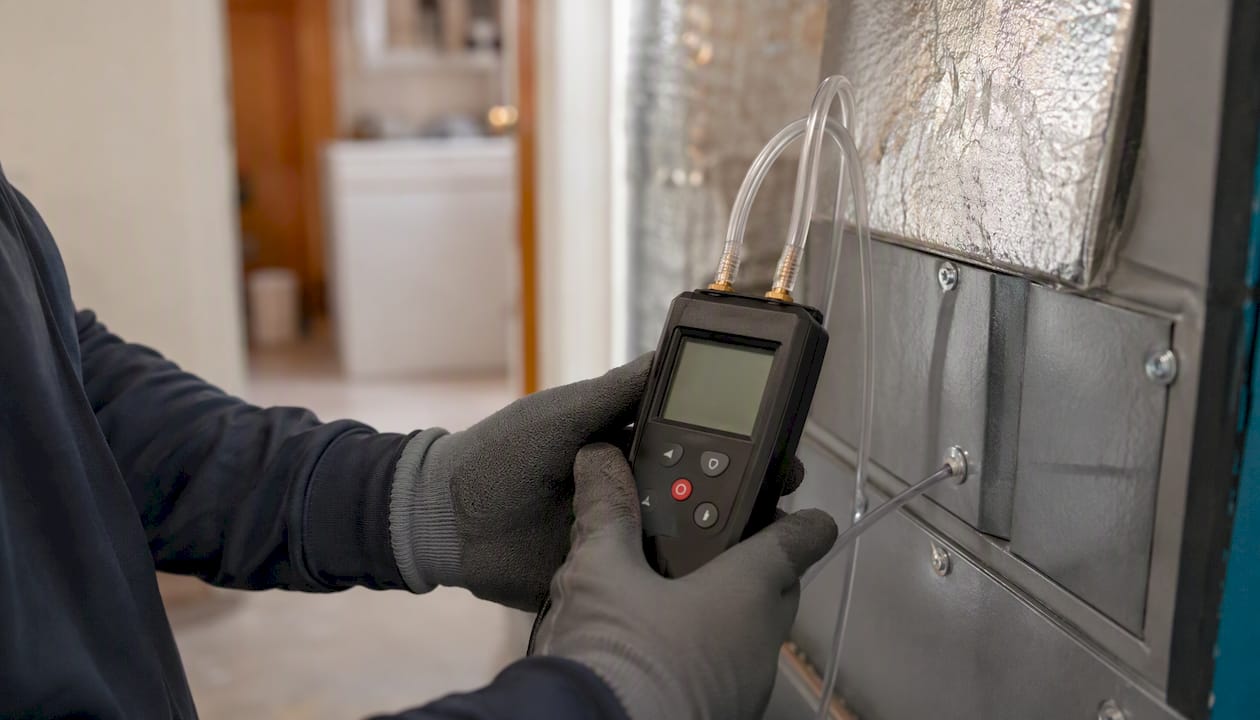
With over 40 years of combined experience serving Colorado Springs and surrounding communities, the team at Strongheatingandcooling has seen the full range of runtime problems. The pattern is consistent: address the basics first, and the system usually responds.
Strongheatingandcooling can diagnose and fix your runtime problems
Families in Colorado Springs dealing with high energy bills and a system that runs too long or cycles too often do not need guesswork. They need a clear diagnosis and a prioritized repair plan. Strongheatingandcooling offers the full range of services that map directly to the problems covered in this article: annual tune-ups, duct sealing, smart thermostat installation, load calculations, zoning, and whole-home dehumidification.

When you contact us, it helps to have a few details ready: your home’s square footage, the age of your equipment, and a description of the runtime symptoms you are seeing (short cycles, long runs, uneven temperatures). That information lets our technicians arrive prepared and get to the root cause faster. Our air conditioning services in Colorado Springs cover diagnostics, repairs, and full system replacements, and our team will give you an honest assessment of what your system actually needs, not just what is easiest to sell. To schedule a visit or ask about our maintenance plans, contact Strongheatingandcooling directly through strongheatingcooling.com/cooling.
Useful sources and further reading
- A Guide to Energy-Efficient Heating and Cooling | ENERGY STAR
- Optimize HVAC Run Times: Stop Short-Cycling & Save Energy | HVACDatabase
- What Is the $5,000 Rule for HVAC Systems? | CBS News
- Energy signature analysis of HVAC runtime using ecobee thermostat data | SciOpen
- Smart Thermostat FAQ | ENERGY STAR
- Energy-saving tips for window coverings | Energy.gov
- RMI resources on building efficiency
FAQ
What is the $5,000 rule for HVAC systems?
Multiply your system’s age in years by the estimated repair cost; if the result exceeds $5,000, replacement is usually more cost-effective than continuing to repair an aging unit.
What is the 20-degree rule for HVAC?
The 20-degree rule is a sizing guideline, not a performance ceiling. It means a properly sized system should maintain roughly a 20°F differential between indoor and outdoor temperatures under peak design conditions, but continuous operation during extreme weather is normal and expected.
How do I reduce HVAC usage without losing comfort?
Start with the quick wins: replace the filter, set the fan to AUTO, program a 3–5°F setback when the home is unoccupied, and seal accessible duct leaks. These steps reduce runtime without affecting comfort in most homes.
What are the signs my HVAC system is short-cycling?
Cycles that run for fewer than roughly 10 minutes before shutting off indicate short-cycling, which increases wear and reduces dehumidification. Common causes include a dirty filter, incorrect refrigerant charge, thermostat placement problems, or an oversized system.
When should I call a professional about HVAC runtime?
Schedule a diagnostic visit if your system runs continuously in mild weather, cycles more than 4–6 times per hour, produces uneven temperatures across rooms, or if the $5,000 rule calculation points toward replacement. Strongheatingandcooling serves Colorado Springs and surrounding areas with full diagnostic services.
Recommended
- How to Reduce Cooling Costs at Home | Strong Heating And Cooling
- The Real Cost of Running an Old AC Through a Colorado Summer | Strong Heating And Cooling
- Commercial HVAC Efficiency Upgrades That Cut Costs Fast
- HVAC Financing: How to Replace a System Without Draining Savings | Strong Heating And Cooling
Need expert HVAC help?
Colorado Springs' veteran-owned heating & cooling team — Mon–Sat, 8 AM–7 PM. Same-day service when available.