
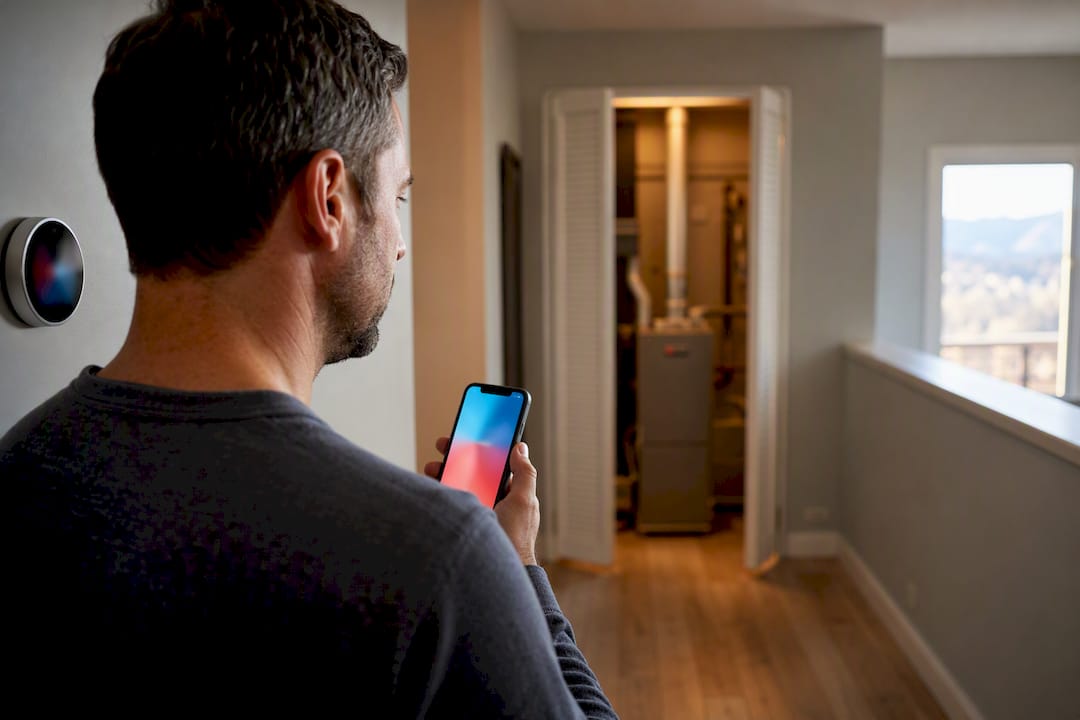
Stop Swapping Parts: Homeowners’ 15 Minute System Test for Nest Heat
If your Nest shows it’s calling for heat but no warm air ever comes, the cause is almost always one of three things: a power or wiring problem, a furnace fault, or a Nest setting getting in the way. Start with the mode and setpoint, check the breaker and furnace switch, then run the built-in System Test. Most homeowners solve this in minutes; if the test fails outright, that’s your cue to call a licensed technician instead of guessing.
TL;DR:
- The most common cause of a Nest thermostat calling for heat but not delivering warm air is power or wiring issues, especially a missing or unstable C-wire.
- The built-in System Test is the most effective diagnostic tool and should be run early in troubleshooting to distinguish thermostat faults from furnace problems.
- Homeowners should verify the mode, setpoint, breaker, filter, and run the System Test before checking wiring or calling a technician.
- Persistent heat failures after the System Test usually indicate furnace component failures, such as a clogged filter, flame sensor, or blower motor, requiring professional repair.
- Heat pump systems often blow cold air in heat mode due to an O/B setting misconfiguration, which can be fixed with a simple software toggle in the app.
Table of Contents
- Nest Thermostat Not Heating: Where to Start
- Power and Wiring: C-Wire Issues and No-Power Alerts
- How to Run the Nest System Test and Read the Help Codes
- When the Furnace, Not the Thermostat, Is the Real Problem
- Heat Pump Systems: When Heat Mode Blows Cold Air
- Settings That Quietly Block Heat: Eco Mode, Schedules, and Firmware
- When to Call an HVAC Pro (and What to Tell Them)
- What 40+ Years of Furnace Calls Teaches You About “Broken” Thermostats
- The Smartest Way to Troubleshoot a Nest That Won’t Heat
- Get a Real Diagnosis Instead of Guessing at Parts
- Official Nest Resources Worth Bookmarking
- Sources
- FAQ
Nest Thermostat Not Heating: Where to Start
Before touching wiring or calling anyone, rule out the obvious. A surprising number of “broken thermostat” calls turn out to be a mode set to Cool, a schedule hold nobody remembers setting, or a tripped breaker nobody checked. Work through these in order, because each one takes seconds and eliminates a whole category of cause.
- Confirm the mode and setpoint. Make sure the Nest is set to Heat, not Cool or Off, and that the target temperature sits a few degrees above the current room reading. It sounds basic, but mode mix-ups are one of the most common reasons people think their furnace isn’t turning on when it’s simply not being asked.
- Wake the display and look for warnings. Tap the Nest. A blank screen, a low battery icon, or an error code on the display all point toward a power issue rather than a furnace issue.
- Check the breaker and the furnace power switch. Don’t open any electrical panels, but confirm the breaker for the furnace hasn’t tripped and the furnace’s own power switch, usually mounted on or near the unit, is flipped on.
- Check the air filter and registers. A filter packed with dust chokes airflow and can trigger a safety shutdown. Pull it, hold it to a light, and replace it if you can’t see through it. Confirm supply registers around the house are open.
- Run the Nest System Test. In the Nest or Google Home app, go to Settings, then Equipment, then Test, and let it run. Note whatever result it gives you, since that result decides your next move.
If heat comes back after any of these steps, you’re done. If the System Test comes back clean but you still have no heat, or the test itself fails, move on to the wiring and mechanical checks below.
Power and Wiring: C-Wire Issues and No-Power Alerts
Most Nest thermostats need steady, continuous power to run their screen, Wi-Fi radio, and internal processor, and the wire that supplies it is called the common wire, or C-wire. Some systems provide one; older systems often don’t, relying instead on the Nest borrowing tiny amounts of power from the heating or cooling wires themselves. That workaround, sometimes called power-stealing, can cause the display to flicker, the thermostat to reboot at random, or heat calls to drop mid-cycle.
Google’s own documentation on the common or C wire confirms that a missing or unstable C-wire is a known cause of power instability, and that installing a proper C-wire or a Nest Power Connector is the standard fix. You can check your own wiring setup without opening the furnace panel:
- Open the Nest app, go to Settings, then Equipment, then Wiring, and look for any terminal marked grey or “not detected.”
- If the app already shows a C-wire connected and working, wiring isn’t your problem, move to the mechanical or software checks instead.
- If you see a “no power” style alert (Nest labels these with codes like E298, E448, or M20), that specifically means the thermostat isn’t receiving power at all, and Google’s guidance on no-power alerts walks through checking the breaker, the furnace switch, and the wiring connection before anything else.
- Before attempting any wiring change yourself, check Nest’s thermostat compatibility page. Some systems, particularly older millivolt or high-voltage setups, aren’t compatible without extra hardware, and forcing a fix on an incompatible system risks damaging both the thermostat and the furnace board.
Pro Tip: If the Nest app tells you a C-wire is missing, resist the urge to just jump the terminals yourself. A Nest Power Connector solves most cases without any furnace-side rewiring, but if your system doesn’t have a spare wire to work with, that’s a five-minute job for a licensed tech and a risky one to improvise.
If the breaker looks fine, the furnace switch is on, and the app still shows no power reaching the thermostat, that combination points toward a wiring fault at the furnace control board rather than anything on the wall plate.
How to Run the Nest System Test and Read the Help Codes
The System Test is the single most useful diagnostic tool you have, because it tells you almost immediately whether the problem lives in the thermostat or in the furnace. Running it takes about 15 minutes and requires a stable Wi-Fi connection, since the test needs to communicate results back through the app in real time.
Here’s the sequence:
- Open the Nest or Google Home app and go to Settings, then Equipment, then Test.
- Start the test and let it cycle through each function (heat, fan, and cooling if applicable) without interrupting it.
- If your system has a furnace, the app will typically also prompt a Furnace Heads-Up check, since Nest flags a heads-up whenever it detects the furnace shutting down within 15 minutes of a heat call starting, which is well short of a normal cycle.
- Write down any code that appears rather than dismissing it. Codes matter more than the plain-English message the app shows, because the code is what a technician will ask for first.
Nest’s help codes reference maps most of these to specific fault families. Codes in the E-series generally point to power or wiring faults. Codes tied to the furnace test specifically flag airflow or ignition problems on the HVAC side, not the thermostat itself.
One detail worth knowing: Google is upfront that the Furnace Heads-Up feature is a useful early warning but isn’t a substitute for regular professional maintenance. It catches obvious shutdowns; it doesn’t diagnose the reason behind them. If the System Test passes clean but heat still doesn’t arrive, the fault usually sits with the furnace’s internal components, not the thermostat you’ve been staring at.
When the Furnace, Not the Thermostat, Is the Real Problem
A Nest thermostat can be wired correctly, powered correctly, and configured correctly, and heat still won’t come because the furnace itself is failing to respond to the call. This is the scenario homeowners misdiagnose most often, because the symptom, no warm air, looks identical whether the thermostat or the furnace is at fault.
A few mechanical issues commonly masquerade as thermostat failures:
- Restricted airflow from a clogged filter. This is the most frequent trigger for a Furnace Heads-Up alert, and it’s also the easiest to fix yourself. Check our filter basics guide if you’re not sure how often yours should be swapped.
- Short-cycling. If the furnace kicks on and shuts off repeatedly within minutes, that’s often a flame sensor or gas valve issue rather than anything the thermostat controls.
- Igniter or flame sensor failure. Older or heavily used furnaces sometimes fail to sustain a flame long enough to satisfy the heat call, which the Nest reads as “requested heat, got nothing.”
- Blocked ducts or a failing blower motor. If air is running but never gets warm, or barely reaches certain rooms, the blockage is downstream of the furnace itself. Our airflow troubleshooting guide covers the checks you can safely run.
Here’s where the line matters: checking and replacing a filter, and confirming vents are open, are homeowner-safe tasks. Diagnosing a flame sensor, gas valve, or blower motor requires opening the furnace cabinet and testing live components, and that’s licensed-technician territory. Trial-and-error part swapping on these components wastes money fast; a targeted diagnostic visit usually resolves it in one trip.
Heat Pump Systems: When Heat Mode Blows Cold Air
If your outdoor unit is a heat pump rather than a standard AC condenser, and Heat mode is blowing cool air instead of warm, the cause is almost always a setting called O/B orientation, not a mechanical failure. This confuses more homeowners than any other Nest issue, mostly because the fix is a software toggle, not a repair.
- Confirm you actually have a heat pump. Check the outdoor unit’s nameplate, or note whether the system provides both heating and cooling from that same outdoor unit year-round.
- Run the Nest diagnostic and check the O/B setting. Google’s own heat pump troubleshooting guidance explains that O and B control whether the reversing valve treats “energized” as heat or cool, and a wrong setting flips your seasons.
- Switch the orientation if needed, then retest. Change O to B (or the reverse) in the app, run Heat mode again, and confirm the outdoor unit runs and warm air eventually reaches the vents. Heat pumps take longer to feel warm than a furnace does, so give it several minutes before judging.
- Get a pro for dual fuel or dual stage systems. If your setup pairs a heat pump with a backup furnace, or runs multiple heating stages, the settings interact in ways that are easy to configure wrong. That’s worth a professional setup visit rather than DIY trial and error.
Settings That Quietly Block Heat: Eco Mode, Schedules, and Firmware
Sometimes the Nest isn’t broken at all, it’s doing exactly what it’s been told to do, and the “told to do” part is buried in a setting nobody remembers changing. Google notes that Eco Temperatures and Home/Away Assist are common culprits, since both are designed to quietly override your normal setpoint to save energy.
Work through these before assuming a hardware fault:
- Check whether Eco mode is active and holding a lower temperature than you expect.
- Look at Home/Away Assist. If the Nest thinks nobody’s home, it may be running a reduced setpoint even if your phone’s location services are just being slow to update.
- Confirm there’s no temporary hold or an old schedule entry overriding today’s setting.
- Restart the Nest (remove it from the base for about 10 seconds, then reattach) if settings look right but heat still won’t engage. Avoid a full factory reset unless a technician recommends it, since that wipes your wiring detection and schedule.
- Check that the Nest app and thermostat firmware are current, and that Wi-Fi is stable. A thermostat stuck on old firmware or dropping its connection can miss heat calls entirely.
When to Call an HVAC Pro (and What to Tell Them)
Some symptoms mean stop troubleshooting and pick up the phone. A gas odor near the furnace, repeated ignition failures, a breaker that trips every time the furnace tries to start, or any critical-level help code all fall into this category. Continuing to test a gas appliance yourself past this point isn’t worth the risk.
Before you call, gather this information, it turns a multi-visit diagnosis into a one-visit fix:
- Your Nest model and the exact help code shown, not just the plain-English message.
- The System Test result, including whether it passed, failed, or didn’t complete.
- A photo of the wiring terminals if you looked at them.
- Your furnace’s make and model, usually on a sticker inside the front panel.
- A quick timeline: when the heat stopped, and whether it was sudden or gradual.
Pro Tip: Technicians who dispatch through modern field service scheduling tools can often review your reported codes before they even arrive, which cuts diagnostic time on-site. Have that code ready when you call.
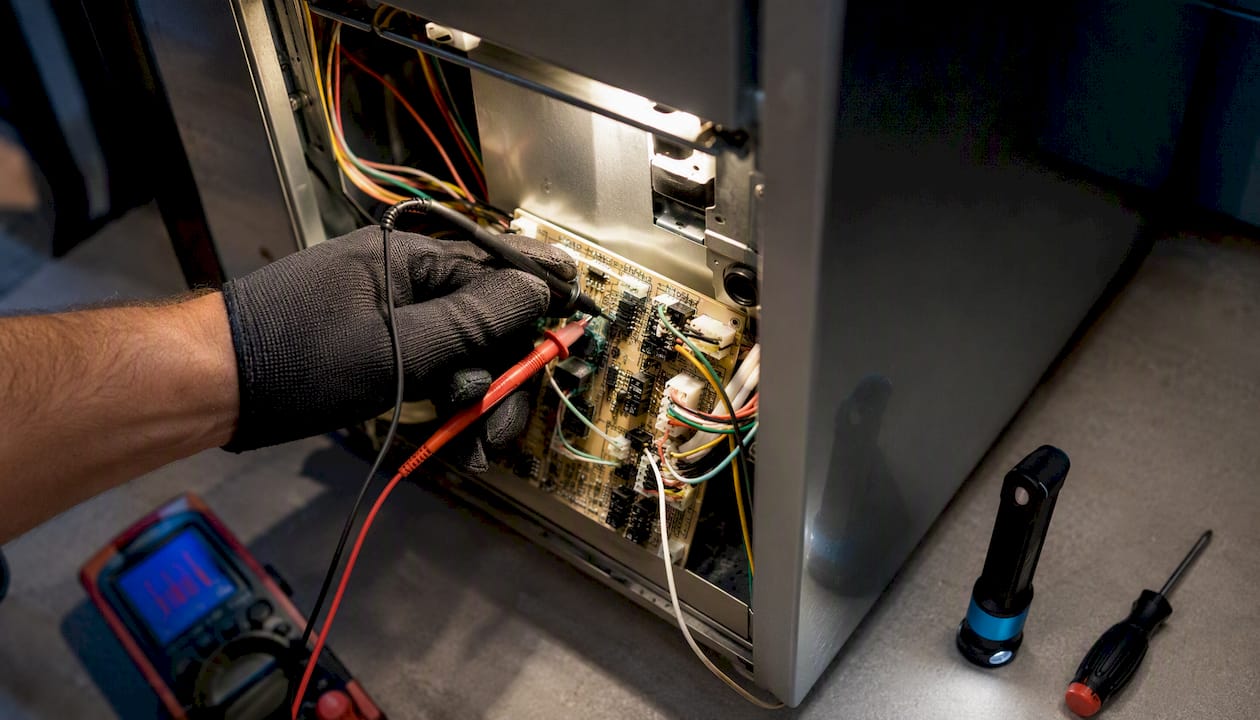
A pro’s first visit typically confirms the System Test findings with direct meter readings on the furnace board, then either resolves the issue on the spot (a part swap, a wiring fix) or scopes a larger repair if the fault runs deeper, like a cracked heat exchanger or failing blower assembly. Our emergency furnace repair checklist covers what to expect start to finish.
What 40+ Years of Furnace Calls Teaches You About “Broken” Thermostats
Across decades of combined field experience, one pattern shows up constantly: homeowners replace thermostats, batteries, and even furnace parts before ever checking the filter or running the built-in test. It’s an understandable instinct, the thermostat is what you see every day, so it gets blamed first.
The number one repeat-visit cause we see isn’t a bad thermostat. It’s a homeowner who swapped a part based on a guess instead of a diagnostic. A five-minute System Test would have pointed at the actual fault the first time.
Skipping the test, and skipping the filter check, is how a $20 fix turns into two service calls and a part that didn’t need replacing. Start with the cheap, fast checks. They solve more cases than people expect.
The Smartest Way to Troubleshoot a Nest That Won’t Heat
Most guides treat thermostat troubleshooting as a flat list, check this, check that, in no particular order. That’s backwards. The System Test exists specifically to sort thermostat problems from furnace problems, and it should run early, not as a last resort after you’ve already replaced batteries and stared at the wiring for twenty minutes.
The conventional advice oversells DIY wiring work and undersells the diagnostic tools already built into the app. Homeowners who jump straight to pulling wires off the backplate risk creating a wiring fault where none existed, especially on systems near the edge of Nest compatibility. Meanwhile, the System Test and help codes sit right there in the app, unused, because nobody told people they’re the fastest path to an answer.
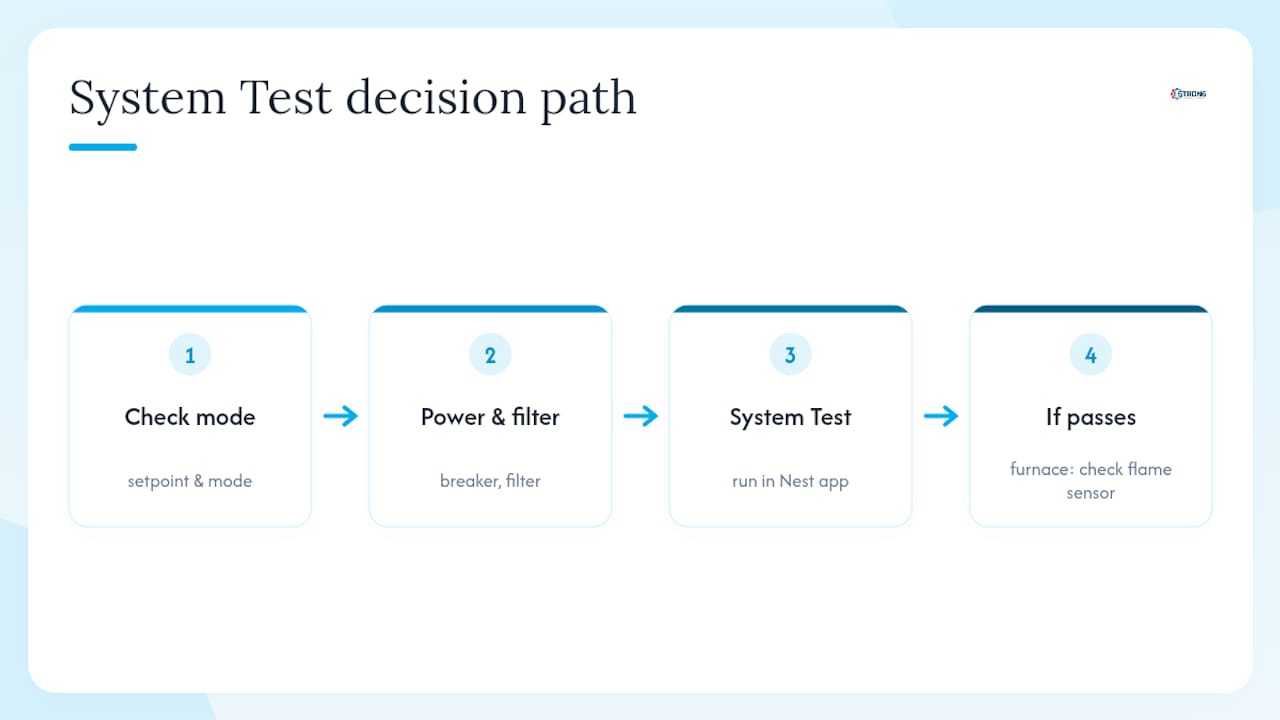
Here’s the priority order that actually works: mode and setpoint first, breaker and filter second, System Test third. If the test passes clean and heat still won’t come, that’s a furnace problem, not a thermostat one, and no amount of thermostat fiddling will fix a bad flame sensor. Trust the test result over your instinct to keep adjusting settings.
— Owner
Get a Real Diagnosis Instead of Guessing at Parts
If you’ve run through the checklist, the System Test came back with a fault code, or you’ve hit the point where wiring or a furnace component is clearly the issue, Strongheatingandcooling handles the parts of this that shouldn’t be DIY. We diagnose Nest-related heating failures across Colorado Springs and the surrounding area, whether the fix is a C-wire installation, a Nest Power Connector, or a furnace repair the thermostat was simply reporting accurately.

A service visit starts with the same logic this article walks through: confirm what the System Test and help codes already told you, verify wiring and power at the furnace board with meter readings instead of guesswork, and give you a clear, upfront explanation before any repair begins. No trial-and-error part swaps billed one at a time. If your furnace is old enough that repeated failures are becoming the pattern rather than the exception, we’ll tell you that too, and walk you through replacement options instead of patching the same unit again.
Ready to stop guessing? Schedule a heating diagnostic and get a technician looking at the actual fault, not another swapped part.
Official Nest Resources Worth Bookmarking
Google’s own support pages cover the exact diagnostic steps referenced throughout this guide, and they’re worth keeping handy for future issues:
- Furnace Heads-Up troubleshooting
- C-wire and Nest Power Connector guidance
- Nest thermostat help codes reference
- Heat pump troubleshooting page
- Nest thermostat compatibility checker
Sources
- Troubleshoot Furnace Heads‑Up message — Google Nest Help
- Learn about the common or C wire — Google Nest Help
- Troubleshoot heat pump issues — Google Nest Help
- Troubleshoot Nest thermostat help codes — Google Nest Help
FAQ
How Long Does a Nest Thermostat Typically Last?
Most Nest thermostats run reliably for several years under normal household use, though heavy power-stealing setups without a proper C-wire tend to show display and connectivity issues sooner than units with stable wiring.
How Do I Reboot a Nest Thermostat?
Remove the display from its base for about 10 seconds, then reattach it. This restarts the thermostat without wiping your wiring detection, schedule, or settings the way a full factory reset would.
Why Is My Thermostat Turning on but No Heat Is Coming Out?
This usually means the thermostat is sending the call correctly but the furnace isn’t completing its cycle, often due to a clogged filter, an ignition or flame sensor fault, or restricted airflow, all of which show up as a Furnace Heads-Up alert during the System Test.
How Can I Tell if My Nest Thermostat Is Actually Bad?
Run the built-in System Test first. If it passes and the wiring screen shows no missing connections, the thermostat itself is very likely fine and the fault sits with the furnace or a setting like Eco mode.
What Does a Nest No-Power Alert Mean?
Codes like E298, E448, or M20 mean the thermostat isn’t receiving steady power at all, which points to a breaker, wiring, or missing C-wire issue rather than anything wrong with the furnace’s mechanical components.
Recommended
Need expert HVAC help?
Colorado Springs' trusted, veteran-owned heating & cooling team — same-day service.